
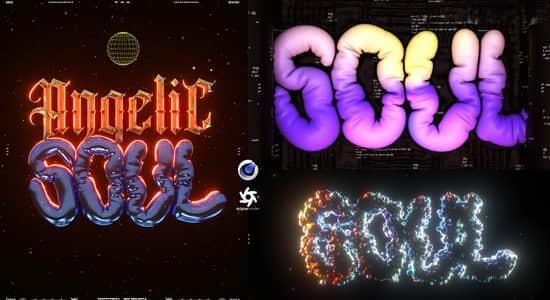
在本课程中,您将学习如何在 Cinema4D 中创建33D色度类型和气球效果。将首先选择一些字体并在 Photoshop 中准备文本,以便我们可以将其作为 3D 对象导出到 Cinema4D。在这里您将学习形状、材料和光线方面的色彩风格。之后,我们将探索如何以创造性的方式使用气球效果的 3 种不同变体。最后,我们将在 After Effects 中完成所有内容并渲染我们的动画。注册本课程需要什么: – Cinema4D 2023 及更高版本、Octane Render 、After Effects、Photoshop
In this class you will learn how to create a 3D Chromatic Type and Balloon Effect in Cinema4D.We will start by selecting some fonts and prepare the text in Photoshop so we can export it to Cinema4D as a 3D object.Here you will learn the chromatic style in terms of shape, material and light.After that we will explore 3 different variations of how the Balloon Effect can be used in a creative way.In the end we will finalize everything in After Effects and render our animations.
声明:本站所有文章,如无特殊说明或标注,均为本站原创发布。任何个人或组织,在未征得本站同意时,禁止复制、盗用、采集、发布本站内容到任何网站、书籍等各类媒体平台。如若本站内容侵犯了原著者的合法权益,可联系我们进行处理。

评论(0)